12.2E06
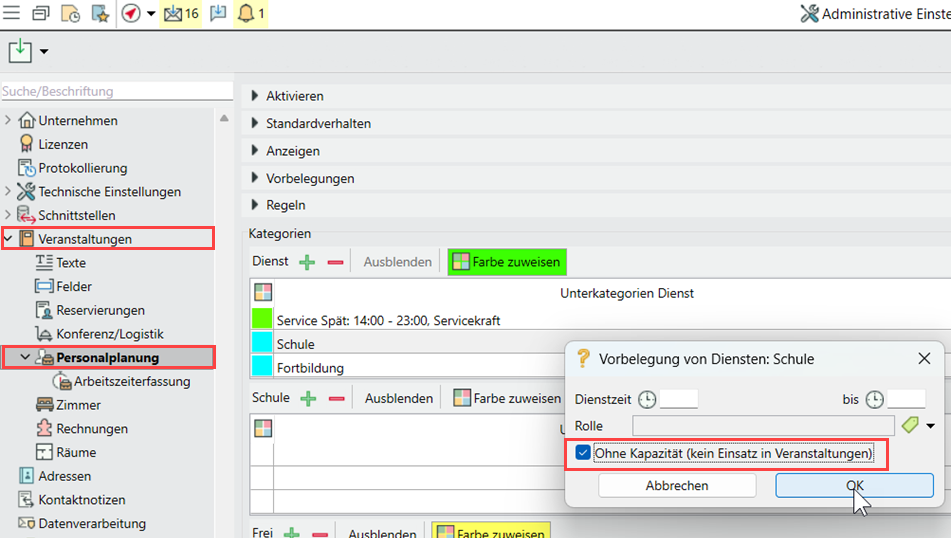
Create shift subcategories "without deployment capacity "
Mark subcategories such as school, training etc. as "without deployment capacity" to avoid incorrect allocations.
If shift times such as school or training are not created as main categories but as subcategories of "On duty" shifts, they can be marked as "without deployment capacity".
Go to Administration > General settings > Events > Shift planning, double-click on the subcategory of the "On duty" top category. Activate "Without capacity" as the default setting for the shift and, if necessary, enter a time and role.
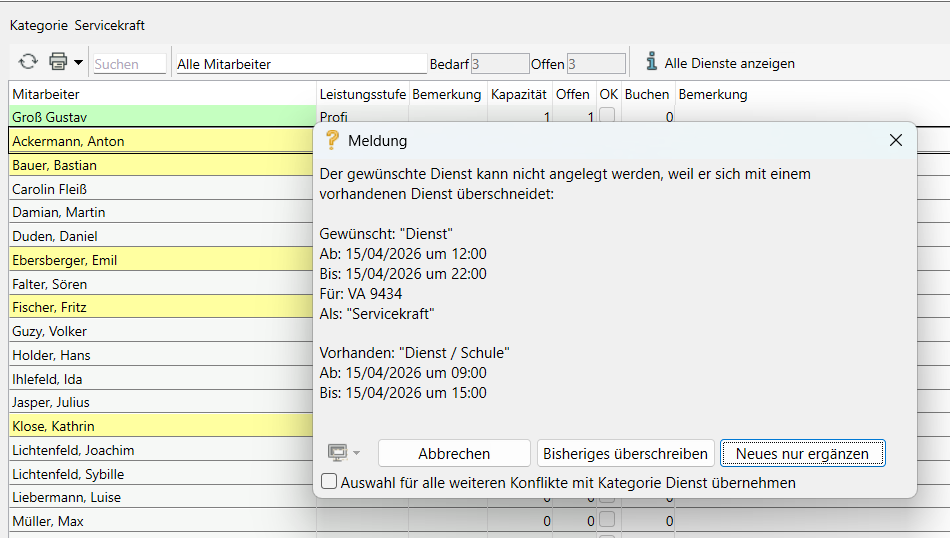
When deployments overlap, the sub-category of the existing shift is now given so that shifts such as "Training" cannot be overwritten by mistake.